
What Is a Snapchat QR Code in Snapchat Planet?
Snapchat is built for speed. Whether you are sending a funny selfie, keeping a Streak alive, or checking your status in your friends’ Solar Systems, nobody wants to waste time typing. This is where the Snapchat QR Code (or Snapcode) becomes your best tool.
You have likely seen that bright yellow square with the ghost in the middle. It isn’t just a logo; it is a digital key. It unlocks new friends, fun filters, and websites instantly. If you want to move up the ranks in the Snapchat Planets system, like going from a distant friend to a “Best Friend,” you need to know how to use this code effectively.
In this guide, we will explore exactly what a Snapcode is, how it works, and how it helps you navigate the Snapchat universe.
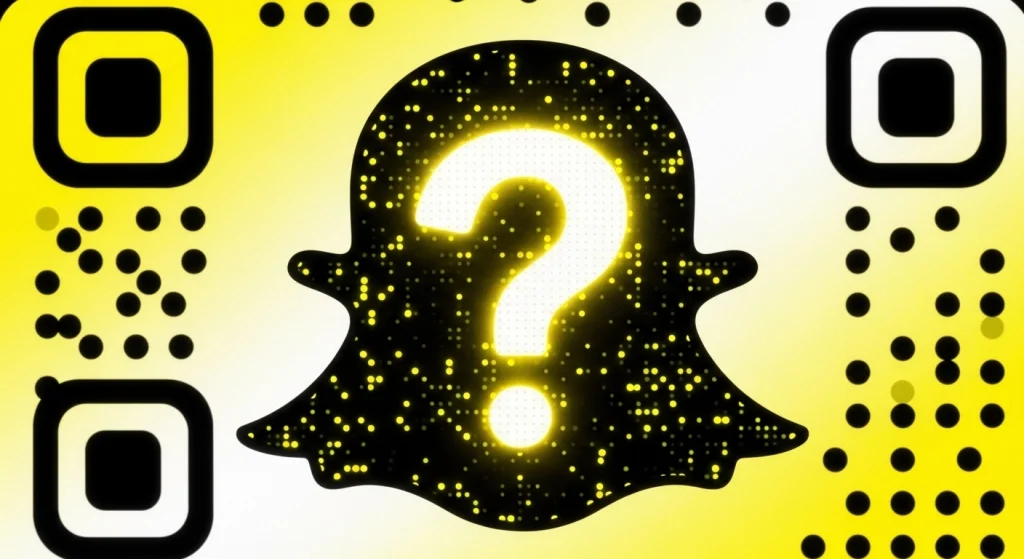
How Snapcodes Work in Snapchat Planet
You might be wondering, “What does a yellow box have to do with planets?” The Snapchat Planet system ranks your friends based on how much you talk to them. The more you Snap, the closer you get to being their “Sun” (Best Friend).
Snapcodes are the starting line for this race. To be in someone’s solar system, you first have to be their friend. Typing in a long username like “cool_guy_123” takes time and often leads to spelling mistakes. Scanning a Snapcode works in one second. It lets you add a friend instantly so you can start snapping immediately. The faster you connect, the faster you can start climbing the planet ranks.
Difference Between Snapcodes and Regular QR Codes
You have probably seen black-and-white square barcodes on restaurant menus or posters. Those are regular QR Codes (Quick Response Codes).
A Snapcode is different because:
- It is Yellow: It uses the specific Snapchat yellow color and rounded corners.
- It uses Dots: Instead of square blocks, it uses a pattern of dots to store information.
- It is Customizable: You can put your own selfie or Bitmoji inside the ghost, which you cannot do with a normal black-and-white code.
What Is a Snapcode?
A Snapcode is a special image that is unique to you. Think of it like a digital fingerprint or a nametag. No two people in the world have the same one.
When you create a Snapchat account, the app automatically makes one for you. It features the famous white ghost logo inside a yellow square. Surrounding the ghost is a pattern of black dots. These dots are actually data. When a phone camera sees them, it knows exactly which profile to open. Scanning a Snapchat QR code is the fastest way to start the journey toward becoming friendship planets on Snapchat.
How to Create Your Own Snapchat QR Code
You already have a personal code, but did you know you can make new ones? You can create codes that link to websites or fun videos.
Create a Personal Snapcode
Your personal code is always ready for you.
- Tap your profile icon in the top left corner.
- Tap the yellow square next to your name.
- Click “Save Snapcode” to download it to your phone. Now you can text it to anyone.
Once added, you can start chatting to see where you land on the planets in order from the sun Snapchat chart.
Generate a Snapcode for a Website
If you have a blog, a YouTube channel, or a school project, you can make a code for it.
- Go to your Profile and tap the Settings gear.
- Scroll down to “Snapcodes.”
- Tap “Create Snapcode.”
- Type in the website address (URL).
- Add a picture to go inside the ghost.
- Save it! When friends scan this, it will open your website instantly.
Customize Your Snapcode
Making your code look unique helps it stand out.
- The Ghost: By default, it is white. If you have a Bitmoji, your cartoon face will appear inside.
- Selfie: You can record a short animated selfie to replace the ghost.
- The Frame: You generally cannot change the yellow background, as the app needs that color to recognize the code.
Tips for Sharing Your Snapcode Safely
The internet is big, and you should be careful. Your Snapcode is a direct line to your inbox.
Avoid Public Overexposure
Be careful where you post your code. If you put it on a totally public forum, anyone in the world can add you. This might lead to spam or bots. It is better to keep your code for people you actually know or want to talk to.
Share Only with Trusted Users
The safest way to use a code is in person. When you are at school, let your friend scan your phone. This way, you know exactly who is adding you.
Privacy Settings to Enable
You can protect yourself even if your code gets out.
- Go to Settings.
- Find “Who Can Contact Me.”
- Set it to “My Friends.” This ensures that even if a stranger scans your code, they cannot send you chats or Snaps unless you accept them first.
If you want to increase your reach, post your QR code to Snapchat Spotlight for more visibility.
How to Scan a Snapchat QR Code
Using these codes is very easy. You do not need to be a tech expert. There are three simple ways to scan a code, depending on where you find it.
Scan Using the Snapchat Camera
This is the most common method. Use this when you are hanging out with a friend in real life.
- Ask your friend to open their profile so their yellow Snapcode is showing.
- Open your Snapchat app to the main camera screen.
- Point your camera at their phone.
- Press and hold your finger on the screen over the code.
- A menu will pop up asking to “Add Friend.” Tap it, and you are done!
Scan from Camera Roll
Sometimes a friend will text you a picture of their code, or you might screenshot one from Instagram. You can’t point your camera at your own screen, so you use this method instead:
- Save the image of the Snapcode to your phone’s gallery.
- Open Snapchat and tap the “Add Friend” icon (the person with a + sign).
- Tap the small Ghost icon next to the search bar.
- Select the picture from your gallery. Snapchat will scan it and add the friend automatically.
Scan Using Saved Images
If you see a code on a website or a social media post, save the image to your phone. As long as the image is clear and the yellow box is visible, the method above (Scanning from Camera Roll) will work perfectly. Always try to save the highest quality version of the image so the scanner can read the dots.
Use your code to meet new people and ask them hru mean on Snapchat to build instant rapport.
Why Snapchat QR Codes Are Important in Snapchat Planet
In the world of Snapchat, connections are everything. Here is why the code is essential for your social status.
Add Friends Instantly
To get a high rank in someone’s solar system, you need to start interacting. Snapcodes remove the friction. There is no “Did you say underscore or dash?” You just scan and go. This encourages more people to add you, giving you more chances to find a Best Friend.
Promote Your Profile or Business
If you want to be popular on Snapchat, you need views. Posting your Snapcode on other apps like TikTok or Instagram brings people over to your profile. The more people who view your Stories, the more active your account looks to the Snapchat system.
Increase Engagement and Traffic
Engagement is the fuel for friendship. Sharing a Snapcode that leads to a funny Lens or a game gets people interacting with you. Every time they use your Lens or reply to your Story, it counts as an interaction. This boosts your friendship score.
How Snapchat QR Codes Work Inside Snapchat Planet System
The “Planets” feature (part of Snapchat Plus) is based on data. Here is how the codes play a role in that math.
Role in Friend Ranking
Your rank (Mercury, Venus, Earth, etc.) is based on how often you snap back and forth. When you scan a code, you create a new connection link. If you send a Snap immediately after scanning, the algorithm marks this as a strong start. It is much better than adding someone and ignoring them for a week.
Interaction Boost Through Snapcodes
Codes can unlock creative tools. If you share a code for a cool filter, friends will use it and send the picture to you. This is a smart trick. By sharing a fun code, you get your friends to snap you more often without even asking. This helps you climb up their planet list.
Planet Position & Snapcode Activity
Users who share their Snapcode publicly tend to have larger circles. However, to be a “Mercury” (Best Friend), you need focused attention. Use the Snapcode to cast a wide net and meet people, but then focus your Snaps on the specific friends you want to be close with.
Linking Snapchat QR Codes to Other Platforms
You don’t have to keep your code trapped inside Snapchat. You can use it everywhere to grow your friend list.
Instagram is great for photos, but Snapchat is better for chatting. Post your yellow Snapcode on your Instagram Story with a “Link” sticker or text saying “Add me!” This moves your followers from one app to another.
You can use your Snapcode as your WhatsApp status. Friends can screenshot it and add you later. It is a great way to move group chats over to Snapchat to start Streaks.
Website or Blog
If you have a personal website, put your Snapcode on the “Contact” page. It looks professional and lets visitors add you by scanning their computer screen with their phone.
YouTube Channel
If you make videos, put your Snapcode in the corner of the screen during your video. Tell your viewers, “Scan the code to see behind-the-scenes clips.” This is how many famous YouTubers grow their audience.
Related Blogs


Common Snapchat QR Code Problems & Fixes
Sometimes you point your camera, and nothing happens. Here is how to fix it.
Snapcode Not Scanning
If you are holding your finger down and it won’t work:
- Move Closer: The code should fill up most of the screen.
- Hold Steady: If your hand is shaking, the camera can’t read the dots.
- Lighting: Make sure the room isn’t too dark.
Blurry or Distorted Code
If you are scanning a picture of a screen, watch out for glare (reflection of lights).
- Turn up the brightness on the phone you are scanning.
- Wipe your camera lens with a cloth to remove fingerprints.
- If the saved image is low quality, ask your friend to send a better screenshot.
Expired or Broken Links
Personal profile codes never expire. However, if you scan a code for a website and it says “Something went wrong,” the website might have been deleted. There is nothing you can do about this except ask for a new link.
Conclusion
Snapchat is all about making connections fun and fast. The Snapchat QR Code is the bridge that builds those connections. Whether you are trying to reach the “Gold Heart” status in someone’s Snapchat Planet system or you just want to share a cool website with your class, these yellow codes make it happen in seconds.
By understanding how to scan, create, and share these codes safely, you become a better user. You save time, avoid spelling errors, and keep your friend list growing. So, next time you meet a new friend, don’t type, just show them the yellow ghost!
Frequently Asked Questions
Can I change my Snapcode?
You cannot change the pattern of the dots because they are linked to your username. However, you can change the picture inside the ghost as often as you like.
Are Snapcodes permanent?
Yes. Your personal user code will last forever as long as you have your account. It does not disappear.
Can businesses use Snapchat QR Codes?
Yes! Stores use them on products or posters. Scanning them usually unlocks a game, a filter, or a discount code.
Is the Snapchat QR Code safe?
Yes, the code itself is safe. It acts like a link. However, always be smart about who you add. If a profile looks suspicious, just block it.

