
What Is Snapchat Spotlight?
Have you ever scrolled through TikTok and wished that Snapchat had a similar feature for cool videos? Well, you are in luck because they actually do have a special section called Snapchat Spotlight. It is a really fun place where you can watch endless short clips from creative people all over the world.
If you are new to this feature, you might be wondering how it all works or where to find it. This guide is going to explain exactly how to watch, create, and enjoy these entertaining clips. We will even talk about how some creators manage to earn rewards just by posting their best videos. This public content platform is separate from the private Snapchat Planets rankings.
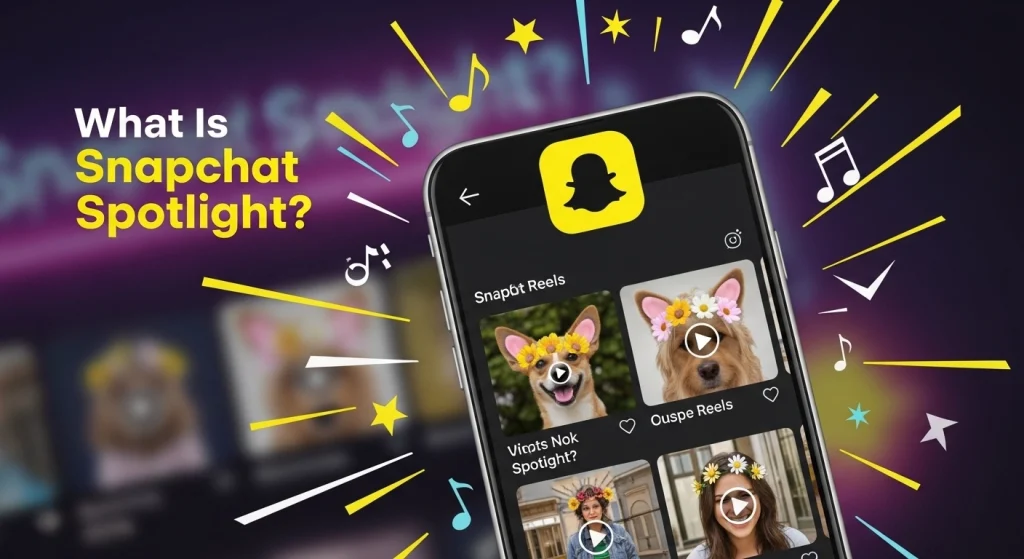
What Exactly Is Snapchat Spotlight?
Let’s start with the basics. Snapchat Spotlight is a special place inside the Snapchat app. It is a feed of short, vertical videos that play one after another. If you have used TikTok or Instagram Reels, you already know how this works. You watch a video, and if you like it, you watch the whole thing. If you don’t like it, you just swipe up to see the next one.
Before Spotlight, Snapchat was mostly for talking to your friends or watching Stories from people you already follow. But Spotlight is different. It shows you videos from creators all over the world. You don’t need to be friends with them or even follow them. It is like a big stage where anyone can show off their funny skits, cool dances, or amazing talents.
Think of it as the “best of the best” on Snapchat. The app picks the most entertaining videos and puts them right there for you to discover. It is a great way to kill time and find new creators that you might want to subscribe to. You can use Spotlight to discover creators and see what are friendship planets on Snapchat trends.
How the "Magic" Works (The Algorithm)
You might be wondering, “How does Snapchat know what I want to watch?”
It uses a computer brain called an algorithm. Think of it like a chef making a special recipe just for you. When you watch a video, the computer is watching you (not in a creepy way!). It notices things like:
- Did you watch the whole video?
- Did you watch it twice?
- Did you send it to a friend?
- Did you tap the “heart” button?
If you do these things, the computer thinks, “Okay, they like this kind of stuff!” So, if you watch a lot of dog videos, Spotlight will start showing you more dogs. If you skip past the cooking videos quickly, it will stop showing you cooking videos.
This means your Spotlight feed is unique. My feed might be full of video games and pranks, while your feed might be full of fashion tips and cute cats. It learns what you like the more you use it.
Rules You Must Follow (The Serious Stuff)
Snapchat wants Spotlight to be a happy and safe place. They don’t just let any video go viral. They have strict rules. If you break them, your video won’t get shown to anyone.
Here are the big “No-Nos”:
- No Watermarks: This is a huge one. Do not post videos that have a TikTok logo or an Instagram logo on them. Snapchat wants original content. If they see a logo from another app, they will hide your video.
- Be Nice: No bullying, no hate speech, and no being mean.
- Keep it Safe: No dangerous stunts that could get you hurt.
- Original Content: Try to make your own stuff. Don’t just record your TV screen or steal someone else’s video.
- Quality Matters: If your video is blurry, dark, or has no sound, it probably won’t get picked.
Viral Spotlight videos often explain how to boost your position in Snapchat Planets through engagement hacks.
What Exactly Is Snapchat Spotlight?
Finding Spotlight is super easy. Open your Snapchat app. Usually, you see the camera first. Look at the bottom of the screen. You will see a little icon that looks like a “play” triangle. It is usually on the far right or near the right side of the bottom menu.
Just tap that play button, and boom! You are in Spotlight. The videos will start playing automatically. The background is dark, and the videos fill up your whole screen. It feels like a mini movie theater right in your hand.
What are "Challenges"?
Sometimes Snapchat runs special Challenges. These are contests. For example, they might have a “Best Dance Challenge” or a “Funny Pet Challenge.”
If you enter these challenges using the specific Lens or Song they ask for, you can win bigger prizes. Keep an eye on the “Trending” page to see if there are any challenges happening right now. It is a fun way to get involved with the community. If you see a video you like, you can share it with friends using your Snapchat QR code in Snapchat Planet.
The Difference Between Spotlight and Stories
This can be confusing for some people. You might ask, “Isn’t this just the same as a Story?”
Not really. Here is the difference:
Stories
These are usually for your friends. They disappear after 24 hours. You usually film what you are doing right now, like eating lunch or hanging out.
Creators on Spotlight frequently use trendy text; find out what jw mean on Snapchat to understand their captions.
Spotlight
This is for the whole world to see. These videos don’t disappear after 24 hours. They stay there for a long time, so people can find them days or even weeks later. Spotlight videos are usually more planned out. They are funnier, better edited, and meant to entertain strangers, not just your besties.
How to Post Your Own Spotlight Video
Okay, now for the fun part. Do you want to be a star? Posting to Spotlight is actually pretty simple. You don’t need a fancy camera. You just need your phone.
Here is a step-by-step guide to get you started:
Open the Camera
Open Snapchat like you are going to send a snap to a friend.
Film Your Masterpiece
Hold the record button to make your video. Remember, it has to be a video, not a photo. You can sing, dance, tell a joke, or show off a cool trick.
Tip: Vertical videos (holding your phone up and down) work best.
Add Some Flair
This is where you get creative. Use the tools on the side of the screen.
- Music: Tap the music note to add a popular song.
- Text: Write a funny caption.
- Lenses: Use a funny face filter or a cool effect.
Hit Send To
Once you are happy with your video, tap the blue “Send To” button at the bottom right.
Select Spotlight
At the very top of the list, you will see “Spotlight.” Tap it so a blue checkmark appears.
Add a Topic
You might see a place to add a “Topic” or a hashtag. This helps people find your video. If your video is about soccer, add the #Soccer topic.
Post It
Hit the arrow button, and off it goes! Your video is now being reviewed to see if it can be on Spotlight.
Can I Make Money on Spotlight?
This is the question everyone asks. The answer is… YES! But it has changed recently, so pay attention.
In the past, Snapchat gave away millions of dollars to people who made viral videos. It was like a lottery. Now, in 2026, they have a new system called the “Unified Monetization Program.” That is a fancy way of saying “One Way to Get Paid.”
Here is how it works now: To make money, you need to be a serious creator. You can’t just get lucky with one video anymore. You usually need to have a certain number of followers (like 1,000 or more) and get a lot of views.
If you are eligible, Snapchat places ads in between your videos. When people watch your video and see the ad, you get a share of the money. It is more like how YouTubers make money.
So, don’t quit your day job (or drop out of school) just yet. But if you keep posting great videos and build an audience, you can definitely earn some cash.
Privacy and Safety: Who Can See Me?
This is important, especially if you are younger.
If you are under 18: Snapchat tries to protect you. Your profile is not automatically public to everyone. You have to change some settings to let strangers see your name.
If you are 18 or older: Your profile is public. When you post to Spotlight, your name will be on the video. People can tap your name to see your other videos and subscribe to you.
Comments: Unlike TikTok, Spotlight comments are not always open for everyone to see immediately. Sometimes creators filter them. This helps stop mean comments. You can also turn off comments on your videos if you don’t want to deal with them.
Unique Tips to Go Viral
Everyone wants their video to blow up and get a million views. There is no magic button, but there are some tricks that successful creators use.
The "Hook" is Key
You have about one second to grab someone’s attention. If your video starts slowly, people will swipe up. Start with action! Start with a funny face! Start with a question! Make them want to stop scrolling.
Use Trending Sounds
When you are picking music, look for the songs that have a little fire icon next to them or are in the “Trending” list. Using popular sounds helps the computer find your video and show it to more people.
Keep it Short (But Not Too Short)
Spotlight videos can be up to 60 seconds long. But the sweet spot is usually around 15 to 30 seconds. It is long enough to tell a joke but short enough that people won’t get bored.
Post Often
The more you post, the better your chances. Try to post one or two videos a day if you can. It helps you practice and helps the algorithm learn who you are.
The "Remix" Feature
One cool feature you should try is “Remixing.” This is like a “Duet” on TikTok.
If you see a funny video on Spotlight, you can react to it. You can film your own face next to the video. You can sing along or make a funny reaction face. This is a great way to make content without having to come up with a whole new idea from scratch.
To do it, just tap the three dots on a video you like and look for “Remix Snap.”
Related Blogs


Spotlight vs. TikTok: Which is Better?
Since Snapchat Spotlight and TikTok look so similar, you might wonder which app is actually better for watching and making videos. TikTok is incredibly huge with endless trends, but Spotlight offers a less crowded space where it is often easier for new creators to get noticed. To help you figure out which one fits your style, we have compared their key features to show you exactly how they stack up against each other.
Feature | TikTok | Snapchat Spotlight |
Size & Popularity | Huge. It has way more people and endless trends. | Smaller. It is not as crowded as TikTok yet. |
Getting Noticed | Hard. Because everyone is there, it is difficult to stand out. | Easier. With less competition, new creators can get views faster. |
Video Style | Polished. Many videos look like mini-movies with famous stars. | Real. Videos feel more like real life and are less “perfect.” |
Convenience | Separate App. You have to open a whole new app to watch. | Built-in. It is right inside Snapchat, so you can watch while texting friends. |
How to Delete a Spotlight Video
Did you post something and then regret it? Maybe you realized your hair looked messy or you told a joke that wasn’t funny. Don’t worry, you can take it down.
- Go to your Profile (tap your face in the top left corner).
- Scroll down to the section that says “Spotlight & Snap Map.”
- Tap on the video you want to delete.
- Tap the three little dots (menu) button.
- Tap “Delete Snap.”
Poof! It is gone.
Common Mistakes New Creators Make
I see a lot of people try Spotlight and give up. Here is why they fail:
- They Give Up Too Soon: They post one video, get 10 views, and say, “This doesn’t work!” You have to keep trying.
- They Are Too Boring: Standing in a dark room and whispering isn’t fun to watch. Turn on the lights! Speak up!
- They forget the Hashtags: Hashtags help the computer sort your video. If you don’t use them, your video might get lost in the pile.
Conclusion
Snapchat Spotlight is a really exciting way to find quick entertainment without ever leaving the app. Whether you want to laugh at funny jokes or learn a new dance move, there is something there for everyone. It gives regular users a unique opportunity to shine and share their creativity with a large audience.
Now that you know the rules and tricks, it is time for you to get started. Just grab your phone, hit that record button, and see what you can create today. Your next video might be the one that goes viral!
Frequently Asked Questions
Can I see who watched my video?
No. You can only see how many people watched it, not their names.
Why was my video rejected?
It probably had a TikTok watermark (logo) on it, or it wasn’t original content.
How long does it take to post?
It takes a few minutes to an hour because Snapchat reviews every video first.
Can I delete comments?
Yes. You can delete bad comments or turn them off completely.
Do I need a public profile?
Yes. Your profile must be public so people can find your videos.

